Reliable power protection for everyday IT loads
Line Interactive UPS for Computers, Offices, CCTV and Network Equipment
A Line interactive UPS provides battery backup, surge protection and automatic voltage regulation for equipment that must stay protected when mains power fails or fluctuates. It is commonly selected for desktop computers, office workstations, routers, switches, CCTV systems, POS terminals and other small-to-medium electronic loads.
MPower India supplies genuine Microtek Line Interactive UPS systems from 650VA to 2000VA, including compact in-built battery models and external battery options for longer backup requirements. This guide explains how the technology works, where it fits, which MPower products are available and how to select the correct rating without oversizing or under-protecting your equipment.
- 650VA–2000VAPractical capacities for everyday IT loads
- Boost & Buck AVRVoltage correction without constant battery use
- In-built or External BatteryChoose compactness or longer runtime
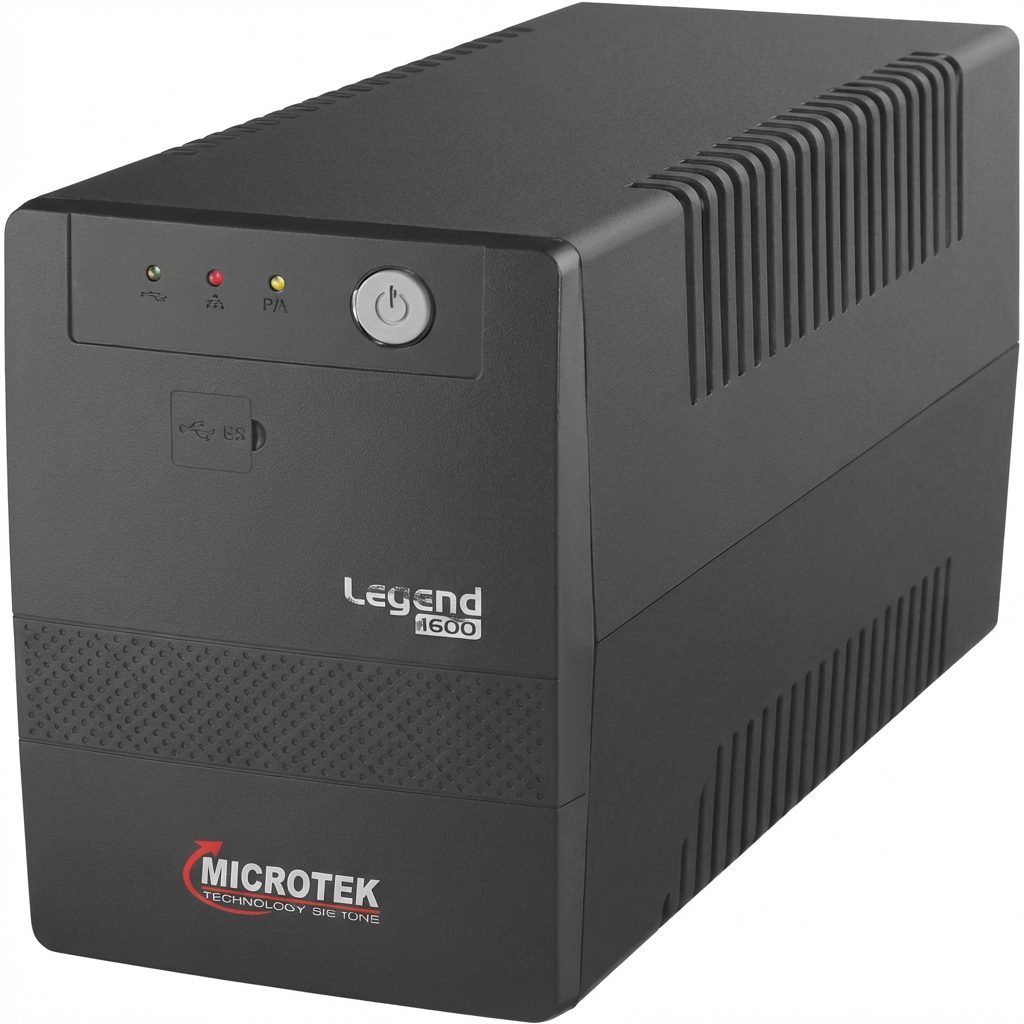
MPower supplies compact in-built battery UPS models and external battery options for longer runtime, with capacities covering computers, CCTV systems, networking equipment, offices and small commercial loads.
What Is a Line Interactive UPS?
A Line interactive UPS is an uninterruptible power supply that normally powers connected equipment from the utility supply while continuously monitoring incoming voltage. When the voltage moves above or below an acceptable range, its Automatic Voltage Regulation system boosts low voltage or bucks high voltage without immediately switching to battery operation.
If the mains supply fails completely or moves beyond the correction range, the UPS transfers the load to its battery-powered inverter. In Microtek Legend and Desire Pro+ models, this transfer typically occurs within milliseconds, allowing compatible desktop computers, routers, surveillance systems and standard office electronics to continue operating long enough to bridge a short interruption or complete a controlled shutdown.
Automatic Voltage Regulation
Boost and buck AVR corrects common under-voltage and over-voltage conditions without consuming battery capacity for every fluctuation.
Battery Backup
The internal inverter supplies power from the battery when the utility source is unavailable or outside the supported operating range.
Equipment Protection
Protection functions help guard connected devices and the UPS against overload, deep discharge and overcharge conditions.
A Line interactive UPS sits between a basic standby/offline UPS and an online double-conversion UPS. It offers more active voltage regulation than a basic standby design while generally remaining more economical and energy efficient than an online UPS. This balance explains why it is widely used for home offices, commercial workstations, educational computer labs, CCTV networks and retail billing systems.
How Does a Line Interactive UPS Work?
The operating sequence is straightforward, but each stage plays an important role in protecting connected equipment.
Monitor Utility Power
The UPS continuously checks mains voltage and frequency while supplying the connected load.
Correct Voltage
Boost AVR raises low input voltage, while buck AVR reduces excessive input voltage.
Transfer to Battery
During an outage or severe fluctuation, the inverter supplies battery power to the load.
Return and Recharge
When acceptable mains power returns, the UPS transfers back and recharges its battery.
Why AVR Matters
Frequent voltage fluctuations can force a basic UPS to use its battery repeatedly. A Line interactive UPS with AVR can correct many of these conditions directly from the mains supply. This reduces avoidable battery cycling, preserves backup capacity for genuine outages and supports longer battery service life when the UPS is correctly installed and maintained.
What Happens During a Power Failure?
When utility power disappears, the UPS detects the failure and transfers the connected equipment to battery mode. Microtek Legend models listed by MPower use a fast transfer architecture designed for computers and similar switch-mode power supplies. The available backup time depends on the selected model, battery capacity, battery condition and the actual watt load connected to the UPS.
Line Interactive UPS Products Available from MPower
MPower India’s current category includes the Microtek Legend Line interactive UPS range with in-built batteries and Microtek Desire Pro+ models with external battery support. Together, these products cover compact desktop protection as well as longer-backup requirements for offices, CCTV installations, networking equipment and small commercial systems.

Compact in-built battery models
Microtek Legend Line Interactive UPS
The Microtek Legend UPS is intended for users who want a compact, ready-to-use system without a separate external battery cabinet. MPower lists Legend 650, Legend 750M, Legend 1000, Legend 1000U and Legend 1600 models.
These models are suitable for desktop computers, home offices, retail billing counters, routers, network switches, educational labs and other small electronic loads. The Legend 750M is particularly positioned for micro-load applications such as CCTV, Wi-Fi modems and broadcast equipment where longer backup at low power consumption is useful.
View Microtek Legend UPS| Model | Rated Capacity | Battery Arrangement | Typical Use Intent |
|---|---|---|---|
| Legend 650 | 650VA / 360W | In-built 12V 7Ah SMF battery | Single desktop, basic workstation, router and small electronics |
| Legend 750M | 650VA / 360W | In-built battery; micro-load sensing design | CCTV cameras, Wi-Fi modems, surveillance and low-power equipment |
| Legend 1000 | 1000VA / 600W | Two in-built 12V 7Ah SMF batteries | Higher-load desktop, workstation, POS and networking combination |
| Legend 1000U | Model in the MPower Legend range | In-built battery configuration | Office computing and supported IT loads; confirm exact specification at quotation |
| Legend 1600 | 1600VA / 960W | Two in-built 12V 9Ah SMF batteries | Powerful workstations, multiple low-power devices or larger desktop setups |
Longer backup flexibility
Microtek Desire Pro+ External Battery UPS
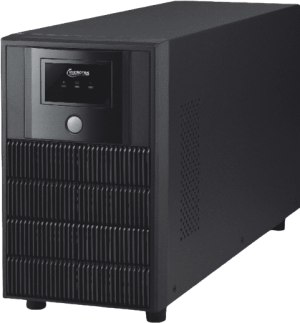
The Microtek Desire Pro+ UPS supports external batteries, allowing runtime to be planned according to the connected load and backup requirement. The product family includes 1000VA and 2000VA options, while the Desire Pro+ 2000 is rated at 2000VA/1200W.
This type of Line interactive UPS is useful when a standard in-built battery does not provide sufficient runtime. It can support office workstations, network devices, POS equipment, computer labs and other compatible loads, subject to correct wattage and battery sizing.
View Desire Pro+ UPSLine Interactive UPS vs Online UPS vs Offline UPS
Searchers often compare these three UPS technologies because each protects equipment differently. Selecting the correct topology is more important than choosing solely by price.
| Feature | Line Interactive UPS | Online Double-Conversion UPS | Basic Offline / Standby UPS |
|---|---|---|---|
| Normal power path | Utility powers the load with active voltage regulation | Power is continuously converted AC to DC and back to AC | Utility generally powers the load directly |
| Voltage correction | Boost and buck AVR corrects common fluctuations | Continuous power conditioning and regulated output | Usually limited compared with line-interactive designs |
| Transfer time | A few milliseconds on compatible models | Zero transfer time in normal online operation | Generally involves a transfer to inverter mode |
| Best suited for | Computers, offices, CCTV, routers, POS and standard IT loads | Servers, medical systems, data centers and critical applications | Basic, non-critical home and small electronics |
| Relative investment | Balanced protection and cost | Higher investment for stronger power conditioning | Usually the lowest-cost category |
When a Line Interactive UPS Is the Better Choice
Select a Line interactive UPS when the load can tolerate a brief transfer interval and the primary requirement is protection from common outages, low voltage, high voltage and surges. It is particularly practical for standard office IT equipment where an online UPS may be unnecessary for the risk level and budget.
When You Should Choose an Online UPS Instead
For mission-critical servers, medical equipment, industrial automation, high-value laboratory instruments or systems that cannot tolerate any transfer interruption, consider an online UPS system. An MPower engineer can assess whether the application requires line-interactive protection or online double-conversion technology.
Best Applications for a Line Interactive UPS
The correct application is determined by equipment sensitivity, total watt load, required runtime and tolerance for transfer time. Common uses include:
Desktop Computers
Provides enough continuity to save work, avoid abrupt shutdown and protect the system from routine voltage variations.
Office Workstations
Supports employee desktops, monitors and selected peripherals during short outages and unstable mains conditions.
Routers and Networks
Keeps routers, switches, modems and communication equipment operating through brief interruptions.
CCTV and Surveillance
Helps maintain cameras, DVR/NVR units, monitors and network connectivity when utility power is interrupted.
Retail POS Systems
Protects billing computers, barcode scanners, receipt printers and routers against transaction interruption.
Educational Labs
Provides practical backup protection for computer labs, administrative systems and digital classroom equipment.
Benefits of Using a Line Interactive UPS
Protection Against Voltage Fluctuations
AVR helps stabilize routine low-voltage and high-voltage conditions that can affect computer performance and electronic component life.
Reduced Unnecessary Battery Use
Because AVR can correct many disturbances without switching to battery, stored battery energy remains available for actual outages.
Practical Cost-to-Protection Balance
The topology offers stronger everyday protection than a basic standby UPS while remaining accessible for offices, shops and home users.
Fast Backup for Compatible IT Loads
Millisecond transfer performance supports standard computer power supplies and similar electronic equipment when correctly matched.
Compact Installation Options
In-built battery models reduce cabling and floor-space requirements, making them convenient for desks, counters and compact work areas.
Longer Runtime Options
External battery models allow runtime to be configured for applications where a compact internal battery is insufficient.
How to Choose the Best Line Interactive UPS
The best Line interactive UPS is not automatically the model with the highest VA rating. Selection should match the actual load, desired runtime and equipment characteristics.
1. Calculate the Connected Watt Load
List every device that will be connected and note its rated watts. Include the computer, monitor, router, switch, CCTV recorder and any other equipment intended to remain powered. Use the UPS watt rating—not only its VA rating—to confirm capacity.
2. Maintain Practical Capacity Headroom
A UPS should not be planned to operate continuously at its absolute rated limit. Capacity headroom accommodates load variation, startup behaviour and future additions. An MPower consultant can help choose an appropriate margin based on the equipment type.
3. Decide Between In-Built and External Batteries
Choose an in-built battery Line interactive UPS for compact installation and short backup requirements. Select an external battery model when runtime needs to be extended or when the connected system must remain available for a longer period.
4. Check Output Waveform Compatibility
Microtek Legend models use a modified sine wave in battery mode, while Desire Pro+ uses a simulated sine wave. Confirm that the connected computer power supply and electronic equipment are compatible with the specified waveform. For highly sensitive equipment, an online pure-sine-wave UPS may be the better choice.
5. Review Input Voltage Range and AVR
A wider supported input range can be valuable in locations with unstable mains voltage. Microtek Legend models such as the 650, 1000 and 1600 specify a 140V to 300V AC input range, combined with boost and buck AVR.
6. Consider Transfer Time
Microtek Legend and Desire Pro+ models specify a typical transfer interval of approximately 4–8 milliseconds. Standard computer switch-mode power supplies usually tolerate brief transfer periods, but critical systems requiring uninterrupted conditioned power should use an online UPS.
7. Plan Battery Maintenance and Replacement
Battery condition directly affects backup time. Keep the UPS ventilated, avoid excessive temperature, test backup performance periodically and replace aging batteries before their capacity becomes unreliable. MPower also provides UPS AMC, repair and battery replacement support.
How to Size a Line Interactive UPS
Use this practical process before requesting a quotation:
- Add the running watts of all devices that will be connected.
- Check whether any device has a high startup or inrush current.
- Select a UPS with a watt rating above the calculated load and suitable operating headroom.
- Define the required backup duration in minutes or hours.
- Choose an in-built or external battery system according to runtime.
- Confirm waveform, outlet, plug and transfer-time compatibility.
- Review environmental conditions, ventilation and service access.
| Requirement | Likely Product Direction | Selection Reminder |
|---|---|---|
| One basic desktop and monitor | Legend 650 class may be considered | Verify actual combined watts and desired shutdown time |
| CCTV, modem or micro-load devices | Legend 750M is designed for micro-load applications | Include DVR/NVR, cameras, PoE switch and display load |
| Higher-load workstation or several small devices | Legend 1000 or 1600 class may be suitable | Confirm peak watts, power supply and battery runtime |
| Longer office or network backup | Desire Pro+ external battery model | Battery Ah must be calculated from load and runtime |
| Critical server or zero-transfer requirement | Online double-conversion UPS | Do not substitute a line-interactive model solely to reduce cost |
These examples are directional rather than final sizing recommendations. The same desktop category can vary significantly in power consumption depending on CPU, graphics card, monitor size and peripherals. Request a load-based recommendation instead of choosing only by equipment count.
Why Choose MPower India for Line Interactive UPS Solutions?
MPower India supplies genuine Microtek UPS products and helps customers match UPS capacity, battery arrangement and runtime to the connected equipment. This is especially important because incorrect sizing can lead to short backup duration, overload alarms, repeated shutdowns or unnecessary investment.
Product Selection Support
Guidance based on equipment wattage, application, runtime, voltage conditions and future expansion requirements.
Multiple Capacity Options
Access to Line interactive UPS models from 650VA to 2000VA for home, office and small business applications.
Service and Battery Support
UPS maintenance, fault diagnosis, battery replacement and broader power-backup support through an experienced team.
MPower also supplies online and offline UPS systems, UPS batteries and complete power backup solutions, allowing the recommended topology to follow the application rather than forcing every requirement into one product category.
Get the Right Line Interactive UPS for Your Load
Share your equipment list, total wattage, required backup time and installation location with MPower India. The team can recommend a suitable Microtek Legend or Desire Pro+ model—or advise an online UPS when the application requires stronger power conditioning.
Frequently Asked Questions About Line Interactive UPS
What is a Line interactive UPS?
A Line interactive UPS is a battery backup system that normally powers equipment from the utility supply, uses automatic voltage regulation to correct common fluctuations and transfers to its inverter and battery when mains power fails or moves outside the supported range.
Is a Line interactive UPS good for desktop computers?
Yes. It is commonly used for desktop computers, monitors and office workstations when the load is correctly sized and the equipment can tolerate the specified millisecond transfer interval and battery-mode waveform.
What is the difference between a Line interactive UPS and an online UPS?
A Line interactive UPS uses utility power during normal operation and switches to battery when required, while an online UPS continuously converts incoming power and supplies the load through its inverter. Online UPS systems provide zero transfer time and stronger power conditioning for critical equipment.
Does a Line interactive UPS contain a voltage stabilizer?
It includes Automatic Voltage Regulation, commonly called boost and buck AVR, which corrects many low-voltage and high-voltage conditions without switching to battery. It should still be selected according to the specified input voltage range and site conditions.
Which Microtek Line interactive UPS models does MPower supply?
MPower lists Microtek Legend 650, 750M, 1000, 1000U and 1600 in-built battery models, along with the Desire Pro+ external battery product family for longer-backup applications. Confirm current availability when requesting a quotation.
Can I use a Line interactive UPS for CCTV cameras and a Wi-Fi router?
Yes, provided the complete CCTV and networking load is calculated. The Microtek Legend 750M is designed for micro-load applications such as CCTV, Wi-Fi modems and related low-power devices.
How much backup time will a Line interactive UPS provide?
Backup time depends on the UPS model, battery capacity, battery age, charging condition and actual connected watt load. A lower load runs longer on the same battery. For longer runtime, consider an external battery model sized by MPower.
Can I connect a laser printer to a Line interactive UPS?
Laser printers can draw high startup current and may overload a small UPS. Do not connect one without checking the printer’s peak demand and the UPS manufacturer’s compatibility guidance. It is often preferable to keep high-inrush devices off the protected UPS circuit.
How do I select the correct VA rating?
Calculate the total connected watts, add suitable operating headroom, define the required runtime and then choose a UPS whose VA and watt ratings both support the load. An MPower load assessment is recommended for accurate selection.
Where can I buy a Line interactive UPS in India?
MPower India supplies genuine Microtek Line interactive UPS products for homes, offices, retail stores, educational institutions, CCTV systems and small businesses. Contact MPower with your load and runtime requirements for model selection and quotation.